Burnbar
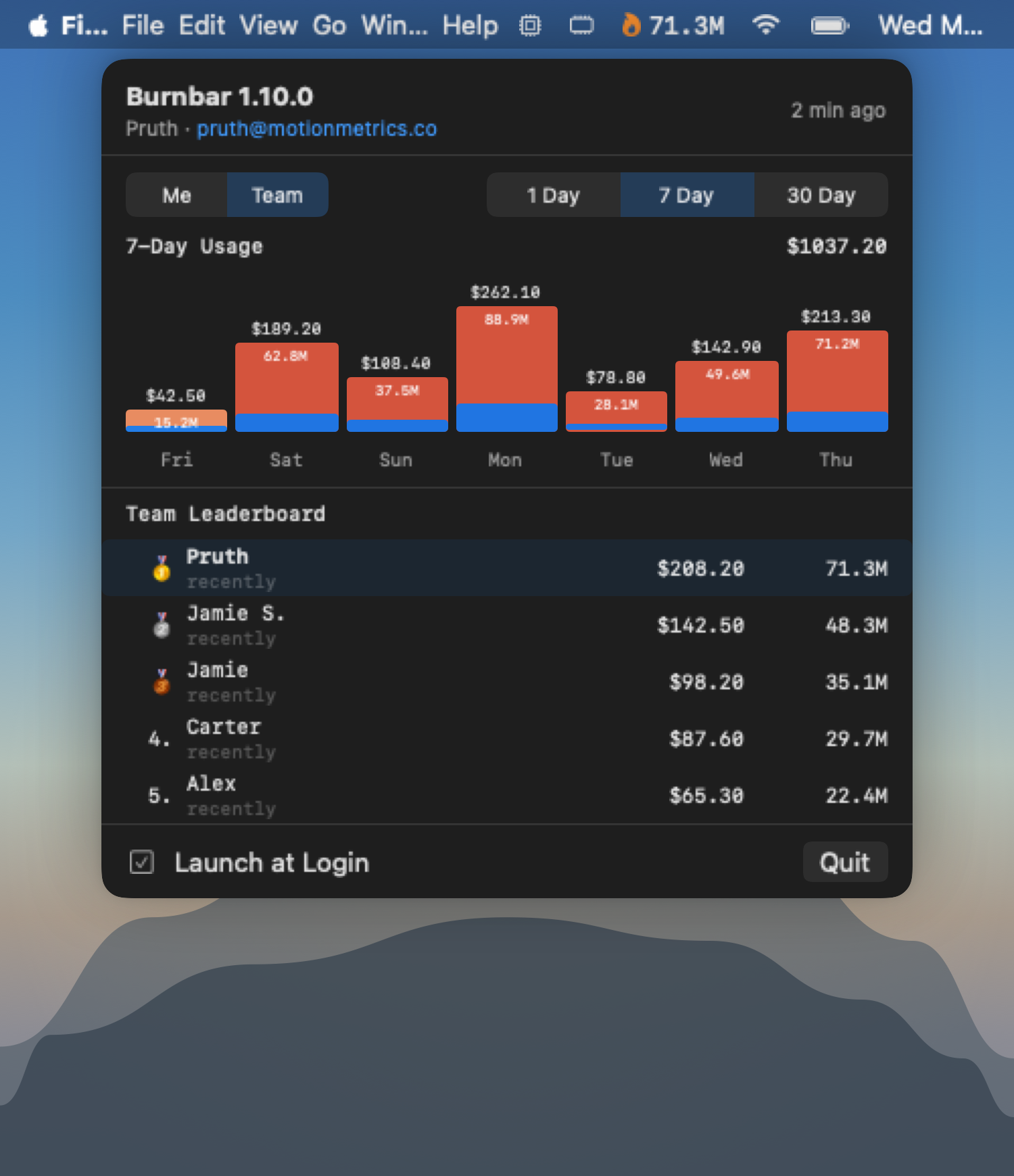
🔥Track your team's Claude Code & Codex CLI token usage, in real time, from the menu bar.
-
⚡
Real-time tracking Watches local Claude Code and Codex CLI sessions via filesystem events. Zero polling, instant updates.
-
🏆
Team leaderboard See who's burning the most tokens across 7-day and 30-day windows. Medals for the top 3.
-
💰
Cost estimates Per-day dollar amounts based on model pricing. Anthropic and OpenAI models tracked automatically.
-
🔄
Auto-updates Burnbar checks for new versions and updates itself in one click. Always current.
Get started
- 01 Download
Burnbar.dmg - 02 Open the DMG and drag
Burnbar.apptoApplications - 03 Open it — look for the Claude icon in your menu bar
- 04 Tick “Launch at Login” and you’re done
Windows
- 01 Download
Burnbar-Windows.zip - 02 Extract and run
Burnbar.exe - 03 Look for the Burnbar icon in the system tray
- 04 Tick “Launch at Login” and you’re done